
Time Duration Calculator
The Time Duration Calculator helps you find the hours, minutes, and seconds between two times.
Elapsed Time Calculator
Find the elapsed time, time interval or time span since a start time. In addition, the result updates every second.
Total Time Duration Calculator
Combine several durations into one total. For example, enter hours, minutes and seconds for each row to get your total time duration.
Time Calculator: Add and Subtract Time
Need a new clock time? Enter a start time, then add or subtract hours, minutes and seconds. As a result, you get the new time instantly in 12-hour or 24-hour format
Related Calculators
How Does the Add and Subtract Time Calculator Work?
The time duration calculator subtracts the start time from the end time. You can also subtract a break, such as a lunch period. The calculator then shows the elapsed time in hours, minutes, and seconds, along with decimal hours, total minutes, total seconds, and milliseconds.
How to Add or Subtract Time
Enter the start time, or press Now to use the current time. Choose Add (+) to move forward or Subtract (−) to move backward. Enter the hours, minutes, and seconds you want to add or subtract, then press Calculate time to see the new clock time.
How to Use the Time Duration Calculator
Enter the start and end times, or press Now to fill in the current time. If needed, enter a break in minutes to exclude a lunch or rest period. Then press Calculate duration to see the elapsed time and other results.
For an overnight time calculation, enter the times as usual. If the end time is earlier than the start time, the calculator assumes the time crossed midnight and adds 24 hours. For example, 10:00 PM to 6:00 AM gives 8 hours. The Elapsed Time and Add and Subtract Time calculators let you choose 12-hour (AM/PM) or 24-hour format in the Clock format box
Time Difference Examples in Hours and Minutes
Every result shows the duration in hours, minutes, and seconds, so the tool also works as a time difference calculator. The examples below show some common calculations.
| Example | Duration | Decimal hours |
|---|---|---|
| 9:00 AM to 5:30 PM | 8 hours 30 minutes | 8.5 |
| 8:15 AM to 12:45 PM | 4 hours 30 minutes | 4.5 |
| 10:00 PM to 6:00 AM | 8 hours | 8 |
| 9:00 AM to 5:00 PM, 30 min break | 7 hours 30 minutes | 7.5 |
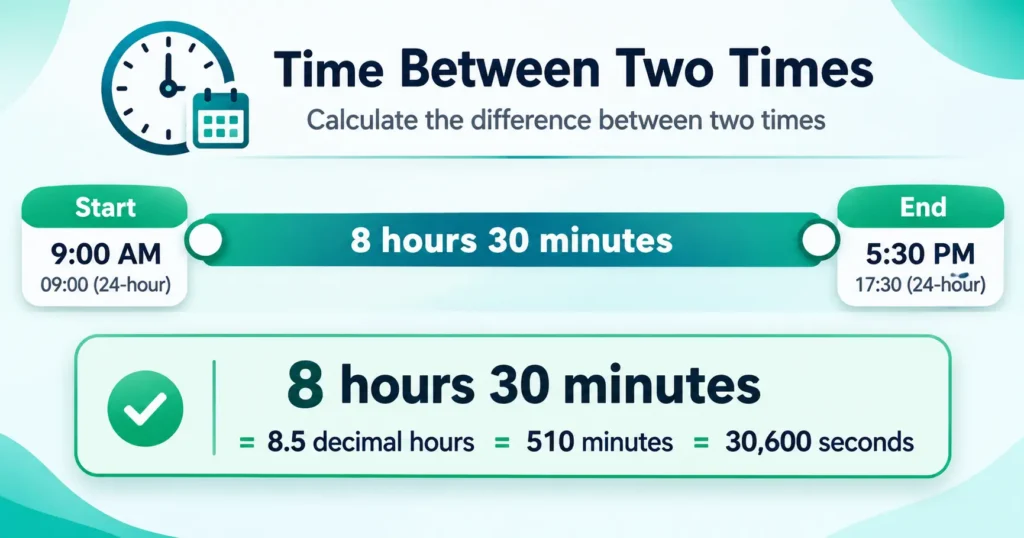
How Many Hours Between Times? Hours and Minutes Calculator
Converting to decimal hours is useful for payroll, invoicing, and timesheets. To calculate it, divide the total minutes by 60 and add the result to the total hours. For example, 7 hours and 45 minutes equals 7 + 45 ÷ 60 = 7.75 hours. Similarly, 6 hours and 15 minutes equals 6.25 hours.
Need the days between two dates instead? Try our Date Calculator.
Want to know your exact age instead? Try our Age Calculator.
12-Hour vs 24-Hour (Military) Time
The 12-hour clock uses AM and PM and counts from 1 to 12. In contrast, the 24-hour clock, also called military time, counts from 00:00 to 23:59. For example, 5:30 PM is 17:30 in 24-hour time, and 12:00 AM (midnight) is 00:00. Therefore, use the Clock format box to switch between the two formats.
Elapsed Time, Time Interval and Time Span
Elapsed time, time interval, and time span are closely related terms for the length of time between a start and an end. For instance, the time duration calculator above finds it for any two clock times. Meanwhile, the Elapsed Time calculator shows how much time has passed since a start time, updating every second. Therefore, you can use it to track a task, a study session, or a workout.
Common Uses of a Time Duration Calculator
- Projects: add up the time spent on several tasks.
- Work and shifts: find the hours worked in a day, then subtract breaks.
- Study: track how long a study session or exam lasted.
- Fitness: measure the length of a workout or a run.
- Travel: work out how long a trip takes between departure and arrival.
Frequently Asked Questions about the Time Duration Calculator
How do I calculate the time between two times?
Subtract the start time from the end time, or enter both in the time calculator and it shows the hours, minutes, and seconds
How many hours are there between two times?
After you add the start and end time, the result shows the total in hours and minutes, and in decimal hours such as 8.5.
How do I calculate elapsed time?
Elapsed time is the end time minus the start time. For two times, use the first calculator. For a start time and the current time, however, use the Elapsed Time calculator.
Can I subtract a lunch break?
Enter the break length in minutes in the time duration calculator above. Then, it is taken off the total automatically.
Can I calculate time across midnight?
Yes. When the end time is earlier than the start time, the calculator adds 24 hours automatically.
Does it support 24-hour (military) time?
Yes. Choose 24-hour in the clock format box of the Add and Subtract or Elapsed Time calculators. As a result, the times show in military format.
How do I convert hours and minutes to decimal hours?
Divide the minutes by 60, then add them to the hours. For example, 6 hours 15 minutes is 6.25 hours.
Is this time duration calculator free?
Yes. It is free and works on mobile and desktop. Moreover, it needs no sign-up.
How do I calculate hours and minutes between two times?
Subtract the start time from the end time. For instance, 9:15 AM to 2:40 PM gives 5 hours 25 minutes.
What is the difference between elapsed time and time duration?
They mean almost the same thing. Time duration is the length of time between a start and an end, and elapsed time is the time that has passed since the start.
How do I add two time durations together?
Use the Total Time Duration Calculator. First, enter the hours, minutes and seconds for each row. Then, press Add total time.
How do I find the end time from a start time and a duration?
Use the Add and Subtract Time Calculator. First, enter the start time. Then, choose Add and type the hours and minutes.
Does the time duration calculator work on mobile?
Yes. It works on phones, tablets and computers. Moreover, you do not need to install an app.